ESP32 Wi-Fi Beacon Project
Wiring Schematic
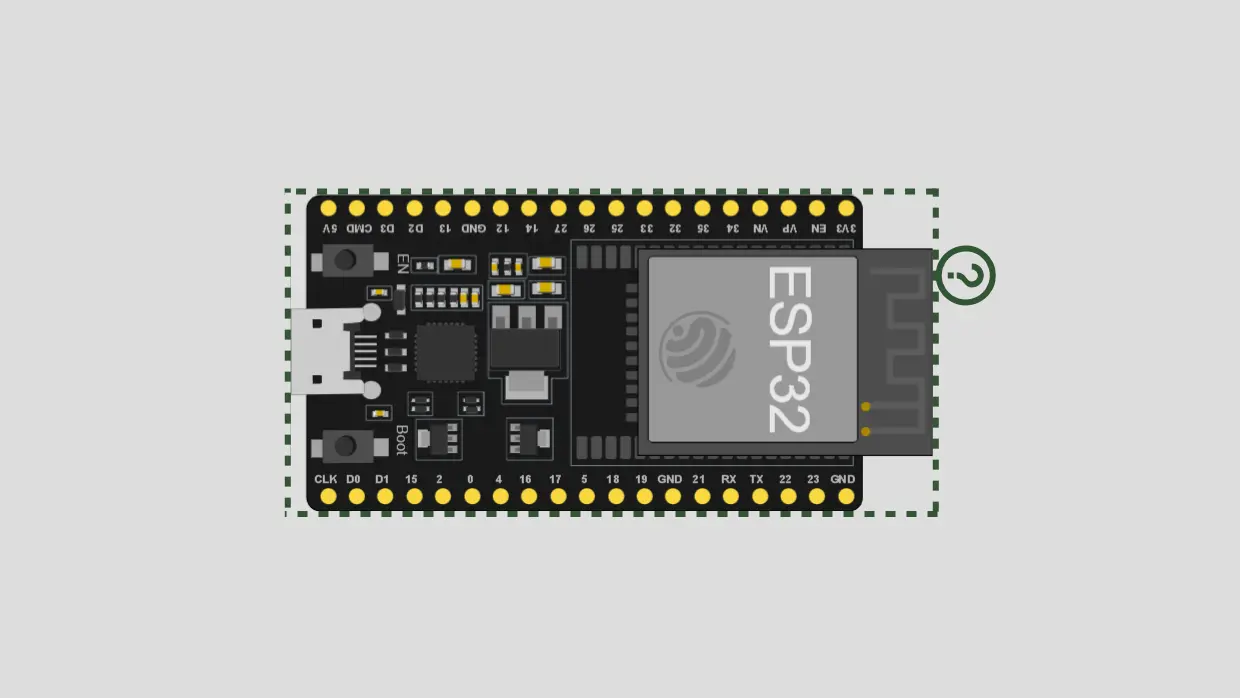 View full-size circuit ↗
YOUR PROJECT LEARNING PATH
Build it with confidence.
Project overview
Know what you’re building before you start wiring.
Explore ESP32 Wi-Fi beacon frames through a project that generates SSID name variations from a base name and character suffixes. It demonstrates how beacon information can appear during wireless discovery in controlled experiments.
The supplied sketch constructs raw 802.11 beacon frames and transmits them in a repeating cycle. Its suffix list contains 109 entries, including repeated characters, so these are not 109 unique suffixes.
Use only authorized, controlled lab environments; repeated beacon transmission may clutter wireless discovery and affect nearby observations.
Components required
Gather these parts before you begin.
Build the project
Work through one focused step at a time. You can revisit any step whenever you need.
Prepare the ESP32 Development Board
Connect the ESP32 board to your computer with a data-capable USB cable and place it on a stable, nonconductive surface. This project needs no external circuit parts for this lab setup.
The README lists only the ESP32 board, USB cable, and computer with Arduino IDE; Wi-Fi uses the board's built-in radio.
Install ESP32 Board Support
Install Arduino IDE and Espressif's ESP32 board package, then select the matching board model and serial port. The source includes WiFi.h and esp_wifi.h from the ESP32 platform for this firmware.
Do not substitute ESP8266 board support; this sketch uses ESP32-specific headers and APIs that are not available under the ESP8266 platform.
Review the SSID Variation Concept
Review the base SSID and suffix array to understand how the sketch constructs each advertised name. The source contains 109 suffix entries, with duplicates among several characters in its list.
Changing a base name changes the generated labels, but does not create a normal router or provide internet access by itself.
Understand Beacon Frame Transmission
Review the transmission behavior before testing: the sketch builds raw 802.11 beacon frames and cycles through generated names. It does not host a browser dashboard or scan nearby networks.
Keep testing limited to a controlled, authorized environment and avoid continuous transmissions where they could disrupt others' nearby wireless observations.
Verify the Project in a Controlled Lab
After reviewing the code, compile it for the selected ESP32 and inspect build output before deciding whether any over-the-air test is appropriate. Use Serial Monitor for startup diagnostics.
The README specifies 115200 baud and a startup count; serial output alone does not prove every transmitted frame is received.
Software & tools
Install these before uploading the firmware.
Expected output
Compare your build with the result described here.
On startup, Serial Monitor prints a startup message and the number of suffix entries configured in the sketch. The Wi-Fi interface is initialized for the frame-transmission experiment using the board's radio.
The code repeatedly creates beacon frames with generated SSID variations; nearby devices may display some of these names during Wi-Fi discovery. Results vary by receiver, channel, environment, and radio conditions.
Troubleshooting & fixes
Choose the issue that best matches what you’re seeing.
01ESP32 firmware upload fails
Confirm the ESP32 board package is installed, choose the correct board and serial port, and reconnect with a data-capable USB cable. Review the complete compiler or uploader error before retrying.
02WiFi.h or esp_wifi.h errors appear
Ensure you selected ESP32 rather than ESP8266, because WiFi.h and esp_wifi.h depend on ESP32-specific platform support. Update the board package if the headers are missing.
03SSID variations are not visible
A serial message reporting configured entries does not confirm successful over-the-air reception. Check the ESP32 startup status and lab receiver, and keep any frame-transmission testing restricted to an authorized controlled environment.